The difficult part of a creative project is rarely finding another reference. It is deciding what the references mean for this brief, and translating that meaning into work someone can actually start.
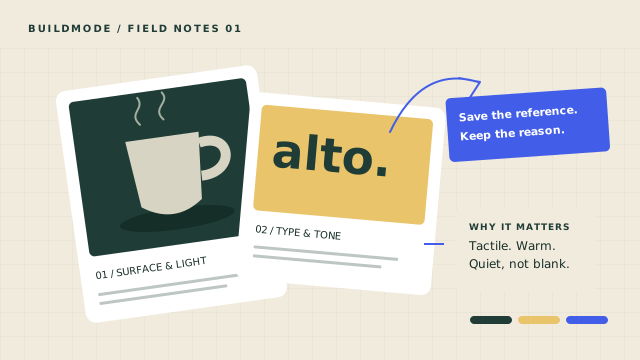
This guide follows ALTO, a fictional coffee brand preparing its first launch. Its moodboard contains matte ceramic cups, warm shopfront photography, deep green palettes, rounded wordmarks and bold café posters. Those references are useful raw material, but they do not yet specify an identity, a photography brief or a launch plan.
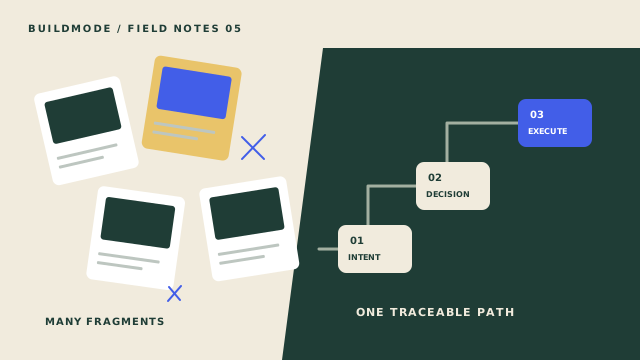
If your references are still scattered, start with Guide 01: how to organize design inspiration. Here, we will move from an organized set of references to an explicit chain: brief → patterns → possible Directions → committed Decisions → Creative Blueprint → execution plan.
Start with a useful project brief
Before sorting the board into a style, write down the job the project must do. For ALTO, the brief is to introduce a welcoming neighborhood coffee brand through a small identity system, packaging guidance and launch photography. The desired feeling is calm and tactile; the work still needs to be readable on a cup and recognizable in a small social image.
Separate outcomes from deliverables. “Help first-time customers recognize ALTO” is an outcome. “A wordmark specification and a photography brief” are possible deliverables. Starting with the outcome gives you a reason to question a beautiful reference that does not help the project.
Record the audience, the intended uses and the constraints you know. ALTO needs a mark that works at packaging scale and a photographic approach a small team can reproduce. Leave unknowns visible: packaging dimensions, the approver and the shoot location are questions to resolve, not details an AI should invent. Keep deadlines and budget in the brief when they are known.
Find patterns across your references
A pattern is more useful than a pile of favorites. Compare references by the role they could play: texture, light, color, typography or composition. ALTO’s ceramic cups, warm daylight and restrained green share a quiet physical tone. Its condensed poster lettering and asymmetric menus suggest a different, more energetic route.
Write one short observation next to each group. “These references make the morning feel unhurried” is more useful than “nice colors.” It connects a visible quality to the experience you want the work to create. Keep a counterexample nearby: the bold poster may be attractive while pulling the launch away from the calmer brief.
A reference is evidence for a possibility, not permission to copy another brand’s assets. Preserve where it came from and the specific quality you are studying. You should be able to explain why a reference belongs in the project even after its original thumbnail is out of view.
Explore possible creative Directions
Turn each promising pattern into a named Direction with a short explanation. “Quiet morning ritual” could combine tactile materials, warm light and restrained color. “Neighborhood energy” could combine direct display type, an asymmetric menu and a brighter accent. Both are hypotheses to review against ALTO’s brief.
Compare what each route makes easier and what it rules out. The quiet route may suit a close-up of a ceramic cup; the energetic route may suit a street-facing poster. Neither should be accepted just because it has a memorable name. Ask whether the route addresses the audience, practical uses and constraints you wrote down.
Read patterns, propose Directions
Choose a reference pattern to explore a possible Direction. Choosing it does not accept it.
Exploring “Quiet morning ritual” · proposed, not accepted
Changing the pattern resets acceptance, Decisions and the illustrative Blueprint so the sources stay consistent.
In BuildMode, a Direction is distinct from the references that support it. AI exploration can propose Directions; a person reviews them. In the simulation below, acceptance is a separate action. The controls teach that distinction rather than claiming to reproduce every product control.
Commit specific Decisions
An accepted Direction still leaves practical choices open. For ALTO, “Quiet morning ritual” does not tell a photographer whether to use warm natural light or a cool studio setup. A useful Decision states a commitment: “Use warm daylight for launch photography.” It is narrow enough to guide the next piece of work and clear enough to review later.
Keep the Direction and the Decision separate. Accepting a Direction does not commit every suggestion, replace the Direction or create finished assets. Human-authored Decisions can stay linked to the Direction that informed them, so a teammate can follow the reasoning instead of guessing from a final image.
Commit only the choices you can defend now. If packaging dimensions remain unknown, record that question instead of inventing a detailed layout. A smaller set of explicit commitments creates a stronger plan than a long list of apparent certainty.
Accept a Direction, then make choices
Quiet morning ritual
A tactile, unhurried identity with quiet backgrounds and a small accent.
These suggested choices are hand-authored teaching prompts. Each committed Decision is a separate record linked to this Direction.
- Use warm daylight for launch photography.
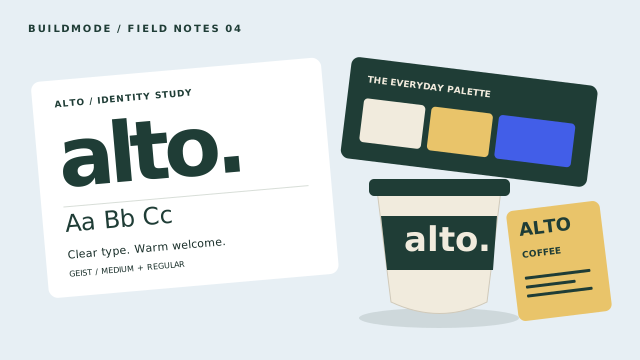
- Let deep green lead, with cream and a small golden accent.
- Use a clear rounded sans wordmark at packaging scale.
0 committed Decisions · accept the Direction to enable these example choices
Build a traceable Creative Blueprint
The Creative Blueprint gives structure to the project context. Its intent explains the outcome, its principles describe the approach, and its requirements make the work assessable. Constraints and unresolved questions remain part of the plan. A source link should make it possible to trace a requirement back to a Direction or Decision.
For ALTO, the warm-daylight Decision can become a photography requirement and support a photography-brief deliverable. A committed palette choice can support an identity specification. Do not silently add a packaging redesign, an e-commerce site or a complete campaign because those outputs would look impressive in a preview.
When you generate a Blueprint in BuildMode, treat it as something to review against the project context. Check whether the requirements reflect your commitments, whether the source relationships make sense and whether open questions were preserved. Blueprint is in refinement during private beta; generated structure still needs human judgment.
Trace Decisions into a plan
Only your committed choices enter this local illustration. Nothing is generated by an AI or saved to BuildMode.
Accept a Direction and commit at least one Decision in Example 02 first.
No Blueprint illustration built yet
If you change an upstream choice, review the plan again. These examples clear the illustration when a new Decision is committed, and reset approvals when the reference pattern changes. That is a teaching safeguard against displaying a plan whose source choices no longer match.
Plan deliverables and execution steps
A Blueprint explains what the project requires. An execution plan explains how to move toward a specific goal. For ALTO, a useful goal might be “Prepare the launch photography shoot.” Its deliverable could be a photography brief grounded in the warm-daylight requirement, rather than a vague instruction to finish the brand.
Break that deliverable into checkable steps: confirm the intended photo uses, write the shot list, find a suitable lighting setup and review the brief against the source Decision. Give each step an observable completion condition. “Draft the shot list for review” is easier to act on than “work on photography.”
Bring to Life represents execution planning through goals, deliverables, linked steps, progress and unresolved questions. It does not mean the product has generated photographs or a finished brand-system package. Those asset-generation ideas and planned direct tool integrations are separate from the current planning model.
For the identity specification, review the wordmark, palette proportions and typography at the sizes where they will be used. For the photography brief, review the shot list and lighting intent. A completed checklist is a record of work; approval of the resulting creative output is still a human responsibility.
Review before you hand off
A useful handoff carries enough context for someone else to continue. Include the brief, accepted Direction, committed Decisions, requirement sources, deliverable scope and open questions. For ALTO, the photographer should understand why the warm light matters, and the designer should know which palette choices are commitments rather than loose references.
Review the chain in both directions. Can every deliverable point to a requirement? Can every requirement point to a reason? If a source choice changes, identify the affected work before sending the plan onward. Keep unresolved approvals visible rather than letting an attractive preview imply that the project is finished.
The result is a project you can explain and begin: a clear intention, a small set of defensible choices, and a plan for the work that follows. Revisit the reference-organization guide whenever the evidence behind those choices becomes hard to find.
For a closer look at the exploration stage, read How AI Can Help Designers Explore Creative Directions. It separates provisional hypotheses, source evidence and explicit human approval.
'%3e%3cpath%20d='M13.3333%2080.0002C20.6933%2080.0002%2026.6667%2074.0268%2026.6667%2066.6668V53.3335H13.3333C5.97333%2053.3335%200%2059.3068%200%2066.6668C0%2074.0268%205.97333%2080.0002%2013.3333%2080.0002Z'%20fill='%230ACF83'/%3e%3cpath%20d='M0%2039.9998C0%2032.6398%205.97333%2026.6665%2013.3333%2026.6665H26.6667V53.3332H13.3333C5.97333%2053.3332%200%2047.3598%200%2039.9998Z'%20fill='%23A259FF'/%3e%3cpath%20d='M0%2013.3333C0%205.97333%205.97333%200%2013.3333%200H26.6667V26.6667H13.3333C5.97333%2026.6667%200%2020.6933%200%2013.3333Z'%20fill='%23F24E1E'/%3e%3cpath%20d='M26.6667%200H40.0001C47.3601%200%2053.3334%205.97333%2053.3334%2013.3333C53.3334%2020.6933%2047.3601%2026.6667%2040.0001%2026.6667H26.6667V0Z'%20fill='%23FF7262'/%3e%3cpath%20d='M53.3334%2039.9998C53.3334%2047.3598%2047.3601%2053.3332%2040.0001%2053.3332C32.6401%2053.3332%2026.6667%2047.3598%2026.6667%2039.9998C26.6667%2032.6398%2032.6401%2026.6665%2040.0001%2026.6665C47.3601%2026.6665%2053.3334%2032.6398%2053.3334%2039.9998Z'%20fill='%231ABCFE'/%3e%3c/g%3e%3cdefs%3e%3cclipPath%20id='clip0_912_3'%3e%3crect%20width='53.3333'%20height='80'%20fill='white'/%3e%3c/clipPath%3e%3c/defs%3e%3c/svg%3e)
'%3e%3cpath%20d='M40%2080C62.0914%2080%2080%2062.0914%2080%2040C80%2017.9086%2062.0914%200%2040%200C17.9086%200%200%2017.9086%200%2040C0%2062.0914%2017.9086%2080%2040%2080Z'%20fill='%237D2AE7'/%3e%3cpath%20d='M40%2080C62.0914%2080%2080%2062.0914%2080%2040C80%2017.9086%2062.0914%200%2040%200C17.9086%200%200%2017.9086%200%2040C0%2062.0914%2017.9086%2080%2040%2080Z'%20fill='url(%23paint0_radial_905_1790)'/%3e%3cpath%20d='M40%2080C62.0914%2080%2080%2062.0914%2080%2040C80%2017.9086%2062.0914%200%2040%200C17.9086%200%200%2017.9086%200%2040C0%2062.0914%2017.9086%2080%2040%2080Z'%20fill='url(%23paint1_radial_905_1790)'/%3e%3cpath%20d='M40%2080C62.0914%2080%2080%2062.0914%2080%2040C80%2017.9086%2062.0914%200%2040%200C17.9086%200%200%2017.9086%200%2040C0%2062.0914%2017.9086%2080%2040%2080Z'%20fill='url(%23paint2_radial_905_1790)'/%3e%3cpath%20d='M40%2080C62.0914%2080%2080%2062.0914%2080%2040C80%2017.9086%2062.0914%200%2040%200C17.9086%200%200%2017.9086%200%2040C0%2062.0914%2017.9086%2080%2040%2080Z'%20fill='url(%23paint3_radial_905_1790)'/%3e%3cpath%20d='M57.2691%2048.2052C56.939%2048.2052%2056.6485%2048.484%2056.3462%2049.0928C52.9323%2056.0153%2047.0358%2060.9134%2040.2125%2060.9134C32.3228%2060.9134%2027.437%2053.7913%2027.437%2043.9522C27.437%2027.2855%2036.7232%2017.6491%2044.8796%2017.6491C48.691%2017.6491%2051.0186%2020.0443%2051.0186%2023.8559C51.0186%2028.3796%2048.4485%2030.7748%2048.4485%2032.3702C48.4485%2033.0864%2048.8939%2033.5201%2049.7773%2033.5201C53.3264%2033.5201%2057.4918%2029.4419%2057.4918%2023.6808C57.4918%2018.0947%2052.63%2013.9888%2044.4737%2013.9888C30.994%2013.9888%2019.0142%2026.4858%2019.0142%2043.777C19.0142%2057.1614%2026.6572%2066.0061%2038.45%2066.0061C50.9668%2066.0061%2058.2043%2053.5526%2058.2043%2049.5105C58.2043%2048.6153%2057.7466%2048.2052%2057.2691%2048.2052Z'%20fill='white'/%3e%3c/g%3e%3cdefs%3e%3cradialGradient%20id='paint0_radial_905_1790'%20cx='0'%20cy='0'%20r='1'%20gradientUnits='userSpaceOnUse'%20gradientTransform='translate(15.453%2070.9057)%20rotate(-49.416)%20scale(61.8733)'%3e%3cstop%20stop-color='%236420FF'/%3e%3cstop%20offset='1'%20stop-color='%236420FF'%20stop-opacity='0'/%3e%3c/radialGradient%3e%3cradialGradient%20id='paint1_radial_905_1790'%20cx='0'%20cy='0'%20r='1'%20gradientUnits='userSpaceOnUse'%20gradientTransform='translate(21.1788%209.09457)%20rotate(54.703)%20scale(69.7735)'%3e%3cstop%20stop-color='%2300C4CC'/%3e%3cstop%20offset='1'%20stop-color='%2300C4CC'%20stop-opacity='0'/%3e%3c/radialGradient%3e%3cradialGradient%20id='paint2_radial_905_1790'%20cx='0'%20cy='0'%20r='1'%20gradientUnits='userSpaceOnUse'%20gradientTransform='translate(15.4526%2070.9053)%20rotate(-45.1954)%20scale(61.1242%2028.1118)'%3e%3cstop%20stop-color='%236420FF'/%3e%3cstop%20offset='1'%20stop-color='%236420FF'%20stop-opacity='0'/%3e%3c/radialGradient%3e%3cradialGradient%20id='paint3_radial_905_1790'%20cx='0'%20cy='0'%20r='1'%20gradientUnits='userSpaceOnUse'%20gradientTransform='translate(32.7158%2010.7789)%20rotate(66.5198)%20scale(62.9836%20105.512)'%3e%3cstop%20stop-color='%2300C4CC'%20stop-opacity='0.725916'/%3e%3cstop%20offset='0.0001'%20stop-color='%2300C4CC'/%3e%3cstop%20offset='1'%20stop-color='%2300C4CC'%20stop-opacity='0'/%3e%3c/radialGradient%3e%3cclipPath%20id='clip0_905_1790'%3e%3crect%20width='80'%20height='80'%20fill='white'/%3e%3c/clipPath%3e%3c/defs%3e%3c/svg%3e)

'/%3e%3cpath%20fill-rule='evenodd'%20clip-rule='evenodd'%20d='M32.4953%2017.1804C32.2202%2016.9368%2031.8067%2016.9367%2031.5314%2017.1801L15.663%2031.2116C15.0564%2031.748%2014.1285%2031.6857%2013.599%2031.0731L7.40986%2023.9122C6.88774%2023.3082%206.95019%2022.3961%207.54979%2021.8688L31.0527%201.20062C31.6021%200.717503%2032.4248%200.717611%2032.9741%201.20088L56.4822%2021.8847C57.0822%2022.4125%2057.1439%2023.3256%2056.6205%2023.9294L50.4164%2031.0866C49.8862%2031.6982%2048.9589%2031.7594%2048.353%2031.2229L32.4953%2017.1804Z'%20fill='url(%23paint1_linear_8_569)'/%3e%3cdefs%3e%3clinearGradient%20id='paint0_linear_8_569'%20x1='5.3335'%20y1='32.1624'%20x2='58.6653'%20y2='32.1624'%20gradientUnits='userSpaceOnUse'%3e%3cstop%20offset='0.225962'%20stop-color='%236647F0'/%3e%3cstop%20offset='0.793269'%20stop-color='%230091FF'/%3e%3c/linearGradient%3e%3clinearGradient%20id='paint1_linear_8_569'%20x1='5.3335'%20y1='31.6447'%20x2='58.6653'%20y2='31.6447'%20gradientUnits='userSpaceOnUse'%3e%3cstop%20stop-color='%23FF02F0'/%3e%3cstop%20offset='0.778846'%20stop-color='%23F76808'/%3e%3c/linearGradient%3e%3c/defs%3e%3c/svg%3e)